

In the Saudi and Gulf markets, “digital transformation” is no longer just an IT project; it is an operational and investment decision that impacts
speed, quality, compliance, and customer experience. This guide focuses on Process Automation as a practical, measurable entry point:
how to choose the right approach, how to tie it to business goals, and how to execute it with clear steps without exaggeration or unmanaged risk
unaccounted for.
1) Defining the core concept
Process Automation It is turning repetitive work steps—manual or semi-manual—into workflows
digital
executed automatically or semi-automatically, with clear rules, tracking, and an audit trail. The goal is not to “replace
people,” but to reduce waste, reduce errors, speed up cycle time, and provide more accurate data for decision-making.
The difference between automation and digital transformation
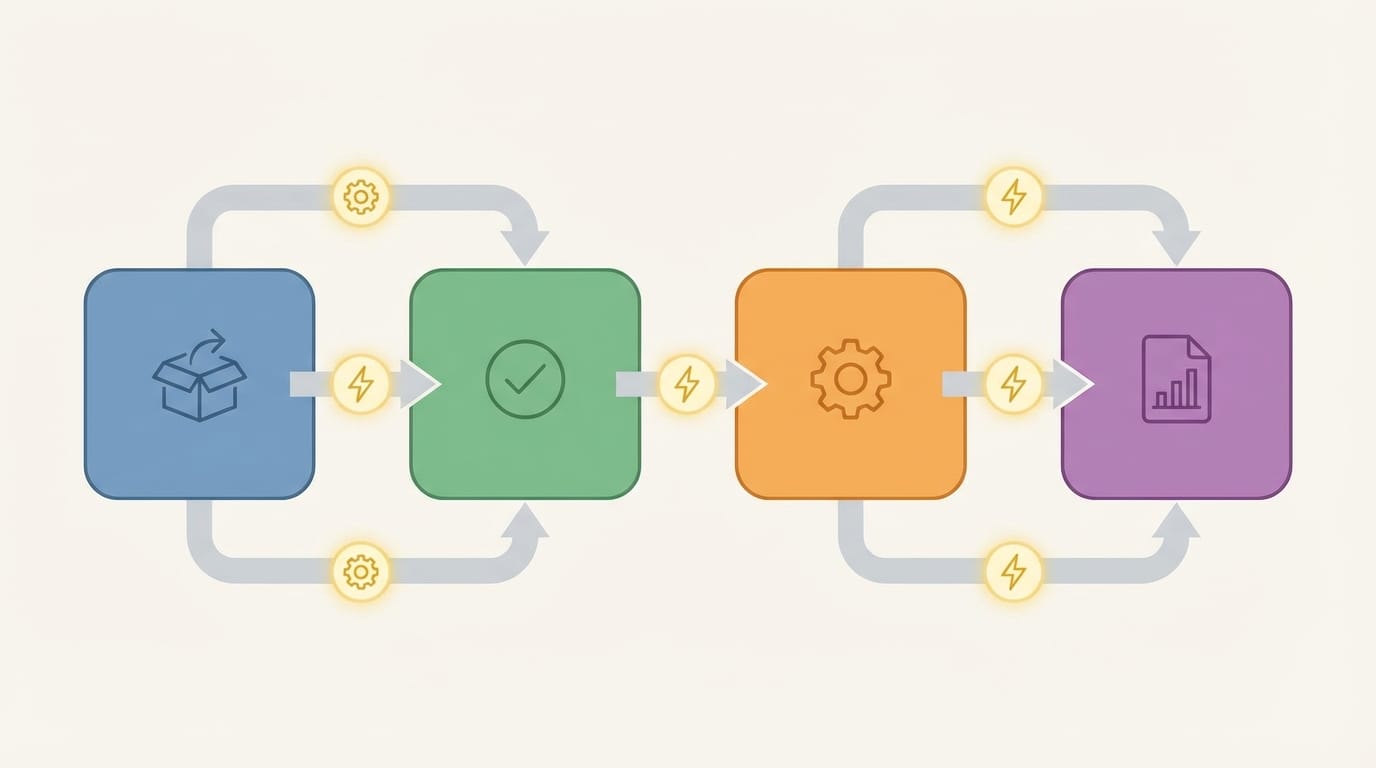
- Automation: Focuses on a specific process or process chain: from entering the request to closing it.
- Digital transformation for companies: Broader in scope: an operating model, customer experience, data, governance, and
cultural change. - The relationship between them: Automation is the “measurable delivery” within a digital transformation strategy—
it shows
quick impact and builds momentum.
Why is this important in Saudi Arabia and the Gulf?
Many companies operate in a mixed reality: legacy ERP/accounting systems, paper approvals, multiple branches, large operations teams,
and growing compliance requirements (such as e-invoicing).
In Saudi Arabia, automation projects often intersect with regulatory and technical requirements such as data protection and cybersecurity controls,
in addition to e-invoicing requirements from the Zakat, Tax and Customs Authority (ZATCA).
(ZATCA
E-Invoicing (FATOORAH)).
2) Available options and when to choose each option
Choosing an automation path is not just an “tool” decision. The right decision starts with understanding the process type, complexity level, and the volume of integrations
required, as well as security and compliance needs. Below are the most practical options in the market:
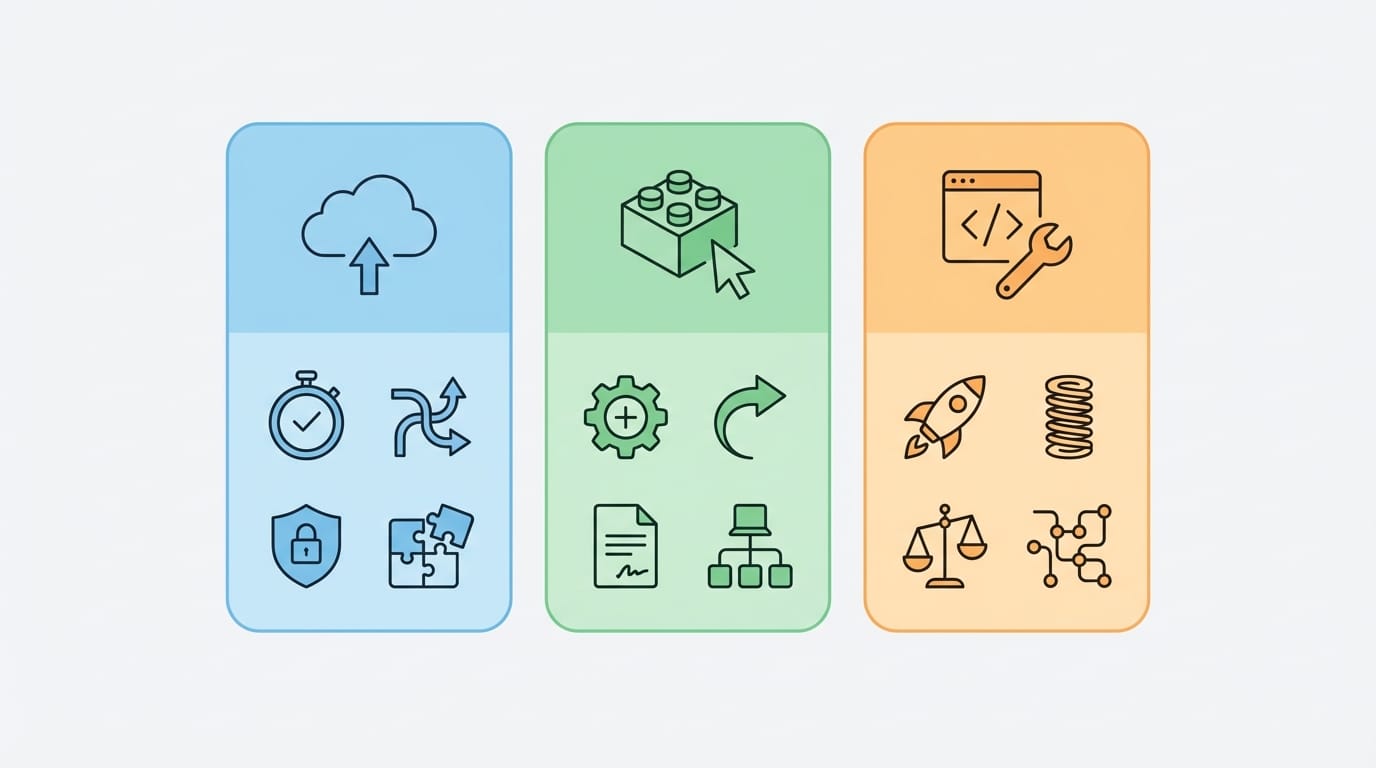
A) Automation through ready-made solutions (SaaS and Modules)
- When does it suit you: Standard processes (leave requests, expense approvals, internal support tickets) with limited
integrations. - Advantages: Fast start, built-in best practices, and lower initial cost.
- Limitations: Limited flexibility, difficulty in deep customization, and constraints on data model and workflow.
B) Low-code and No-code platforms
- When does it suit you: You need fast delivery with a reasonable level of customization, and business teams able to participate in
the design. - Advantages: Faster development, quick prototyping, and a unified way to execute processes.
- Limitations: Governance is required to avoid application sprawl, with limits under high complexity or heavy integrations.
C) Robotic Process Automation (RPA)
- When does it suit you: You have legacy systems or no available integration interfaces, and you need a quick solution to simulate
user input. - Advantages: Useful as a temporary bridge, and suitable for repetitive processes with fixed rules.
- Limitations: Sensitive to UI changes, hard to measure without governance, and may increase risk if used
as a permanent substitute for real integration.
D) Custom Automation solution
- When does it suit you: Mission-critical processes, multiple integrations, compliance/security requirements, or a customer experience that needs
differentiation. - Advantages: Maximum flexibility, ownership of business logic, scalability, and control over performance and data.
- Limitations: Requires clear governance, precise analysis, and effective change management to ensure real return.
| Option | Best use | Time to value | Integration depth | Common risks |
|---|---|---|---|---|
| Ready-made solutions | Standard processes | Fast | Medium | Customization and governance limitations |
| Low-code | Multiple flows with customization | Fast to medium | Medium to high | Application sprawl, maintenance burden |
| RPA | Legacy systems and absence of APIs | Fast | Low (simulation) | Fragility to changes, operational complexity |
| Custom solution | Critical processes and differentiated experience | Medium | High | Scope overrun, poor analysis |
If you are looking for a professional service for companies It connects
analysis, execution, and integrations—most importantly, start by assessing the process and data before choosing the technology.
3) Business value and its impact on growth
The value of process automation appears when you tie the “process” to clear business KPIs. Instead of measuring the number of screens or forms, measure:
cycle time, error rate, transaction cost, and customer/employee satisfaction.
Actionable KPIs for decision makers
- Cycle Time: From service request to closure.
- Rework Rate: How often a transaction is repeated due to missing data or input errors.
- Compliance and audit trail: The ability to track who approved, when, and why.
- Transaction cost: Staff time, errors, and exception handling.
- Digital channel conversions: The percentage of users who complete the request without human support.
Common patterns in Saudi Arabia and the Gulf
- Multiple branches: Differences in policy implementation across branches create exceptions; automation standardizes the rules
and enforces them. - Reliance on files and spreadsheets: It produces “multiple versions of the truth”; automation brings data back to a
central source. - Evolving compliance: Such as e-invoicing and information security requirements—making
update-ready design more important.
4) Most commonly used types and models
Successful process automation depends on choosing the right “automation model” for each process, not forcing everything into a single tool.
Below are the most commonly used models in companies:
1) Workflow Automation
Suitable for approvals, assignments, internal requests, exception handling, and case management.
The strength here is in governance, rules, notifications, and the audit trail.
2) Integration Automation
It connects systems together via APIs or integration middleware to avoid re-entry and duplicate data.
This model reduces errors and increases reliability, especially when there are ERP/CRM/inventory systems.
3) Robotic Process Automation (RPA)
Useful as a transitional solution when integration interfaces are missing or updating a legacy system is difficult.
From a management perspective: treat it as an “operations layer” that needs strong monitoring and a plan to gradually reduce dependence on it.
| Item | Workflow | Integration | RPA |
|---|---|---|---|
| Best for | Approvals and case management | Data exchange between systems | Simulating user interaction |
| Reliability | High | Very high | Medium (depending on interface changes) |
| Scalability | High | High | Medium and requires intensive operations |
| Operational risks | Unmanaged exceptions | Poor interface design | Bots break with updates |
Brief practical case (without names)
- A multi-branch services company: They automated purchase requests and approvals and linked them to inventory and invoices;
the result was reduced delays and improved tracking of policy compliance. - A logistics company: They integrated order tracking with customer notifications and delivery exceptions, which improved service quality
and reduced inquiry calls.
5) User experience and its impact on conversion
Even in internal automation, “user experience” is not a luxury. A bad experience means incomplete entries, workarounds, and a return
to WhatsApp and paper. In customer digital channels, it directly affects conversion and order completion.
Practical user experience principles that support automation
- Reduce fields: Request only what is necessary, and auto-fill what can be populated from systems.
- Clear paths for exceptions: Exceptions are not errors; design a path for them.
- Status transparency: Where is my transaction now? with an expected time and next steps.
- Smart validation rules: Prevent errors before they happen through validation instead of discovering them after submission.
- Multilingual usability when needed: In diverse operating environments inside Saudi Arabia and the Gulf.
6) Core integrations (payments, shipping, internal systems)
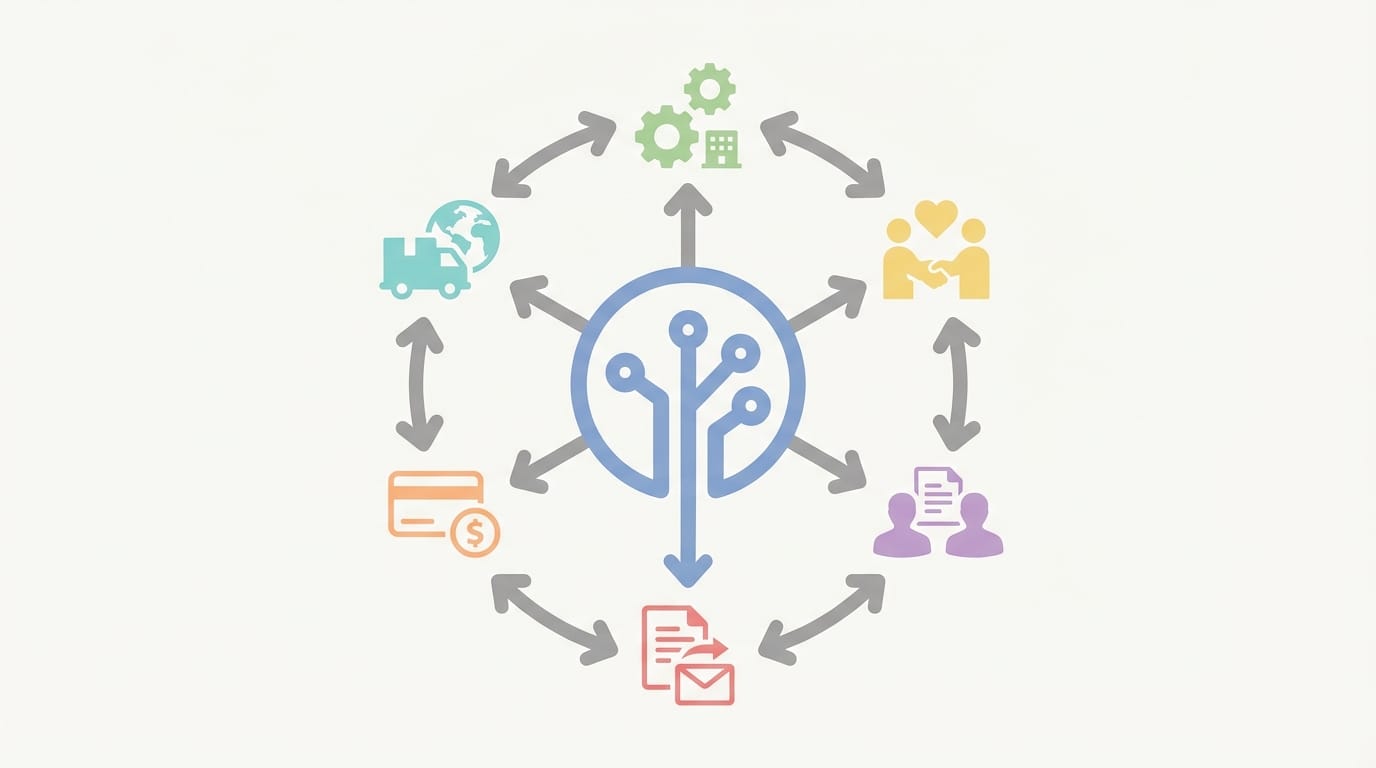
In most companies, the value of automation increases as it reduces “manual data transfer” between systems. Therefore, the integration plan
must be designed early as part of the digital transformation plan instead of leaving it to the end of the project.
A) Most common internal systems
- ERP and Accounting: Purchase orders, journal entries, inventory, customers, and suppliers.
- HR: Leave requests, custody assets, payroll, and employee data.
- CRM: Customer journey, sales opportunities, and customer service.
- Document management: Contracts, attachments, and retention policies.
B) E-invoicing and regulatory obligations
If processes include issuing invoices or notifications, the design must take into account e-invoicing requirements in
Saudi Arabia (invoice) from the Zakat, Tax and Customs Authority.
Start by reviewing the official guidelines and phase requirements.
(Definition of e-invoicing and its general framework).
C) Payment and shipping (when there are commerce or collection channels)
- Payment: Design a flow that handles success/failure/refunds/settlement cases, and link it to accounting.
Automatically. - Shipping and delivery: Address management, status tracking, exceptions (delays, delivery failures), and notifications.
Customers.
Golden integration rules to avoid chaos
- System of Record: Decide where the master data for each entity is stored.
(Customer/Product/Invoice). - Standard interfaces: Document APIs and contracts, and avoid “point-to-point integrations” as much as possible.
As much as possible. - Monitoring: Logs, alerts, and a dashboard for errors and retries.
- Data governance: Permission policies, retention, and data classification.
7) Performance, security, and scalability
In Saudi Arabia, security and data protection are not cosmetic add-ons. Any automation that touches personal, financial, or critical operational data
needs clear controls: access, encryption, audit logs, and resiliency. As references, you can be guided by the requirements of the
Personal Data Protection Law (PDPL). issued under SDAIA supervision.

A) Baseline controls that should be default
- Identity and access management: Least privilege principle, with clear roles for approval and execution.
- Audit logs: Who did what, when, and why (essential for review and investigation).
- Encryption: In transit and at rest according to data sensitivity.
- Backup and recovery: RPO and RTO plans based on process criticality.
- Vulnerability and update management: Especially in automation and integration platforms.
B) Aligning controls with Saudi frameworks
For cyber controls guidance, consider the Essential Cybersecurity Controls (ECC-1) a key reference from the National Cybersecurity Authority
cybersecurity.
In cloud services contexts, there are also relevant regulations from the communications, space, and technology regulator.
such as Cloud Computing Service Provisioning Regulations.
C) Performance and scalability: what matters for the decision?
- Load pattern: Do you have peak seasons? (campaigns, month-end, financial close)
- Component separation: Separating the user interface from the integration layer and from the workflow engine makes scaling easier.
- Reliability: Design retry paths and asynchronous messages for heavy operations.
- Operational observability: Performance indicators, request tracing, and actionable alerts.
8) Common mistakes and how to avoid them
Many process automation initiatives stall not because of technology, but because of inaccurate early decisions: choosing the wrong process,
or ignoring data, or weak change management.
Common mistakes and how to fix them
- Starting the project with a tool instead of a problem: Start with a process that has clear impact and measurable outcomes.
- Automating chaos as-is: Redesign the process first, then automate it.
- Ignoring exceptions: Exceptions are reality - design clear paths for them.
- Poor data quality: Without sound data rules, automation will only increase the speed of errors.
- Improvised integrations: Plan your interfaces and system of record from the beginning.
- Lack of governance: Who owns the process? Who approves its changes? Who measures its impact?
- Ignoring compliance: Especially when handling personal data (PDPL) or security requirements (ECC).
9) A practical step-by-step execution framework
The following framework is designed for decision-makers: it balances speed and governance, and reduces the risks of a “big project” before proving value.
You can apply it to automating administrative, operational, or customer-facing processes.
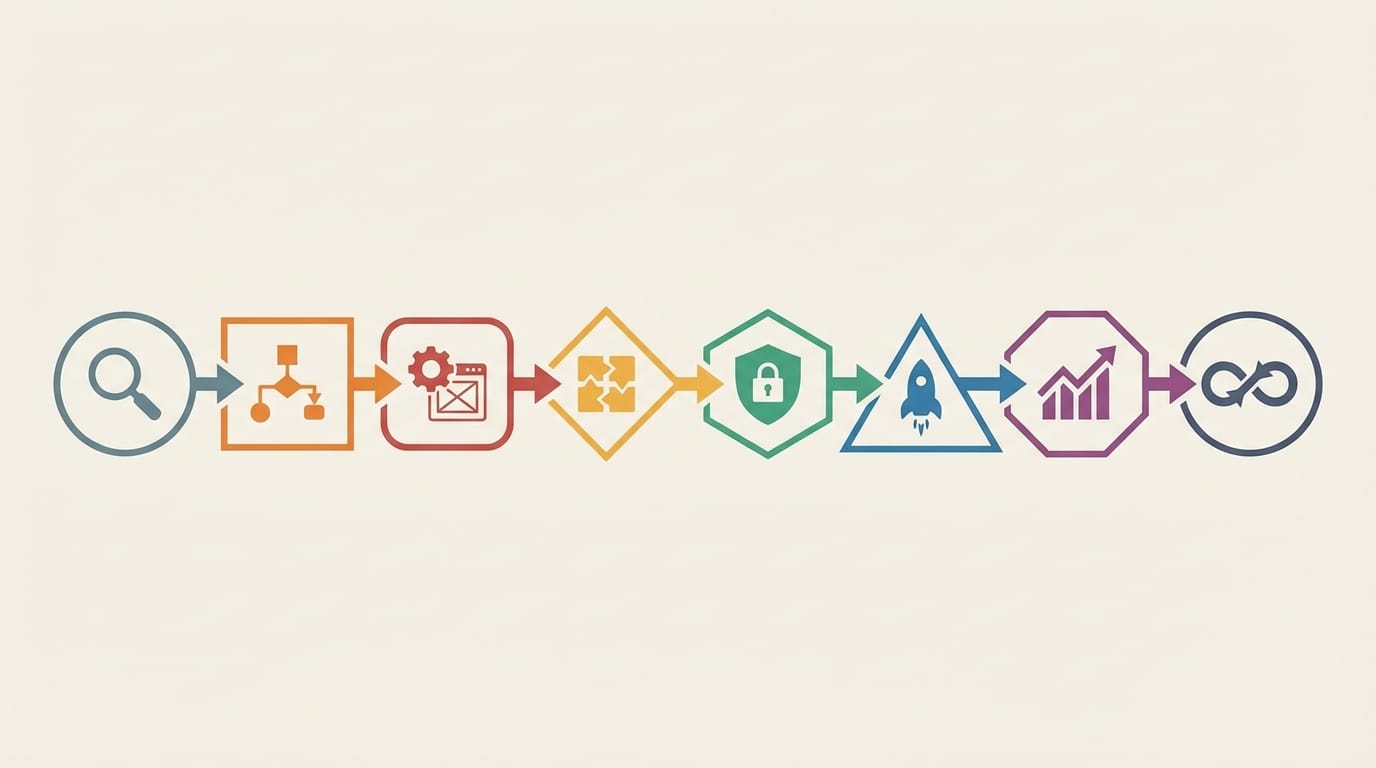
Step 1: Select the right process (Process Selection)
- Clear financial or operational impact: High time consumption, high errors, or delays that affect revenue or compliance.
- Clearly definable rules: If rules are too vague, start by standardizing the policy first.
- Controllable inputs: Available data, or the ability to improve data collection.
Step 2: Map the current and target process (As-Is / To-Be)
- Identify waiting points, approvals, and handoffs between departments.
- Classify exceptions: rare, recurring, critical.
- Decide what should be automated and what should remain a human decision.
Step 3: Design measurement before building
- Define only 3-5 KPIs (cycle time, error rate, self-service completion rate...).
- Create a baseline for 2-4 weeks if possible.
- Define what should be logged in the audit trail and why.
Step 4: Choose technology based on the decision (not the reverse)
- If the process is standard, ready-made solutions may be sufficient.
- If customization is moderate, use low-code with strong governance.
- If integration is core, focus on a strong integration layer.
- If the system is very old, use RPA as a transitional solution with an exit plan.
Step 5: Build a runnable MVP (not a demo)
- Start with a small scope: 20% of the flow that covers 80% of cases.
- Manage exceptions inside the system instead of side-channel messages.
- Include notifications, a monitoring dashboard, and core SLA standards.
Step 6: Security and compliance as part of the definition
When handling personal data, consider relevant regulatory obligations such as PDPL.
(PDPL text (official document)).
When designing cybersecurity and resiliency controls, use ECC-1 elements as a minimum baseline reference.
Step 7: Launch and change management
- Role-based targeted training, not generic training.
- A short-term support channel after launch, with cause categorization.
- Update internal policies to align with the new flow.
Step 8: Continuous Improvement
- Weekly review of performance indicators and exceptions.
- User feedback, then small and incremental improvements.
- Add new processes gradually within a roadmap.
If you want to execute an integrated project It balances analysis,
governance, integrations, and measurement, so it’s best to turn this framework into a time-bound action plan with clear responsibilities.
10) When is a custom solution the right choice
A custom solution doesn’t always mean “better” — it means you have practical reasons that prevent relying on an off-the-shelf solution. Use the following criteria
to make the decision rationally:
Strong indicators that favor a custom solution
- The process is a competitive advantage: Your way of executing work is part of the value, and you do not want to restrict it with a fixed template.
- Multiple and complex integrations: Many internal systems plus external channels plus audit requirements.
- High security and compliance requirements: Sensitive data, fine-grained permissions, mandatory logs, or periodic audits.
- High transaction volume: You need control over performance, scalability, and reliability.
- Data is central: You want unified data models and analytics, not just passing transactions.
When a custom solution is not a good option
- When you do not yet understand the process (rules changing continuously without a clear policy).
- When there is no internal ownership of the process (no owner and no delegation).
- When you need an immediate solution for a standard process that can be covered by an off-the-shelf solution with simple configuration.
Related articles
Latest articles related to process automation
No posts available right now.
Frequently Asked Questions (FAQ)
1) What are the most important cost factors in process automation projects in Saudi Arabia?
The most important factors are usually: the number and scope of processes, the depth of integrations with internal systems, security and compliance requirements,
and the quality of current data.
Costs also increase when relying on many stopgap solutions (such as RPA) instead of stable integrations.
2) How long does implementing a runnable process automation project take?
That depends on process and integration complexity, but the safest approach is to launch an operational MVP covering the most common cases
and then expand.
Project delays are often caused by unclear requirements or poor data readiness more than coding alone.
3) Is RPA a good alternative to system integration?
RPA is useful as a stopgap when integration interfaces aren’t available or the system is very legacy, but it’s more sensitive to changes in
the user interface.
It’s best to treat it as a “bridge,” with a gradual plan to move to API integrations when possible.
4) How do we ensure scalability when branches or request volume increase?
Start with an architecture that separates the UI, process engine, and integration layer, and adopt observability (logs/tracing)
from day one.
Also define exception and retry rules, and monitor performance indicators to avoid bottlenecks early.
5) What are the core data protection requirements when automating processes that include personal data?
You typically need access permission controls, an audit log, appropriate encryption, clear retention policies, and also management of
access and modification requests as needed.
For general guidance on obligations in Saudi Arabia, review the page Personal Data Protection Law (PDPL).
6) What is the relationship between process automation and cybersecurity requirements in Saudi Arabia?
Automation increases your reliance on digital systems, so you should include controls such as identity management, monitoring, and response.
for incidents.
You can refer to the
Essential Cybersecurity Controls (ECC-1). As a reference for the minimum controls.
7) Which integrations provide the highest quick return?
Often: integration with ERP/accounting (to prevent re-entering data), integration with document management (to reduce
missing attachments), and linking status notifications for users.
In companies that issue invoices, linking the order workflow to e-invoicing requirements has a direct impact on
compliance.
8) How do we avoid project failure due to changing requirements?
Adopt a clear phased MVP scope with fixed KPIs, then manage changes through a practical governance committee and an impact-ordered
backlog.
Don’t try to cover every exception from day one; design an administrative exception path, then improve it based on
data.
9) Is cloud computing suitable for process automation projects in Saudi Arabia?
In many cases yes, provided the hosting model is aligned with data, security, and compliance requirements, and the
relevant regulatory obligations are reviewed.
It’s useful to review the cloud computing service provision regulations issued by the regulator.
(CST Cloud Regulations).
10) What are the most common implementation risks and how can we mitigate them?
Key risks: choosing an unsuitable process, poor data quality, improvised integrations, and neglecting change management.
Reducing them comes from selecting a process with clear impact, establishing a measurement baseline, and launching an operational MVP with governance and security
from the start.